Event badge printing at check-in, on any printer.
Stop printing hundreds of badges the night before. With Cuemark, each badge prints the moment the guest arrives — at a staff desk or a self check-in kiosk — with the latest name, company and category.
From $99 per event · No ticket commission · No annual contract · No app or kiosk rental
See a sample event website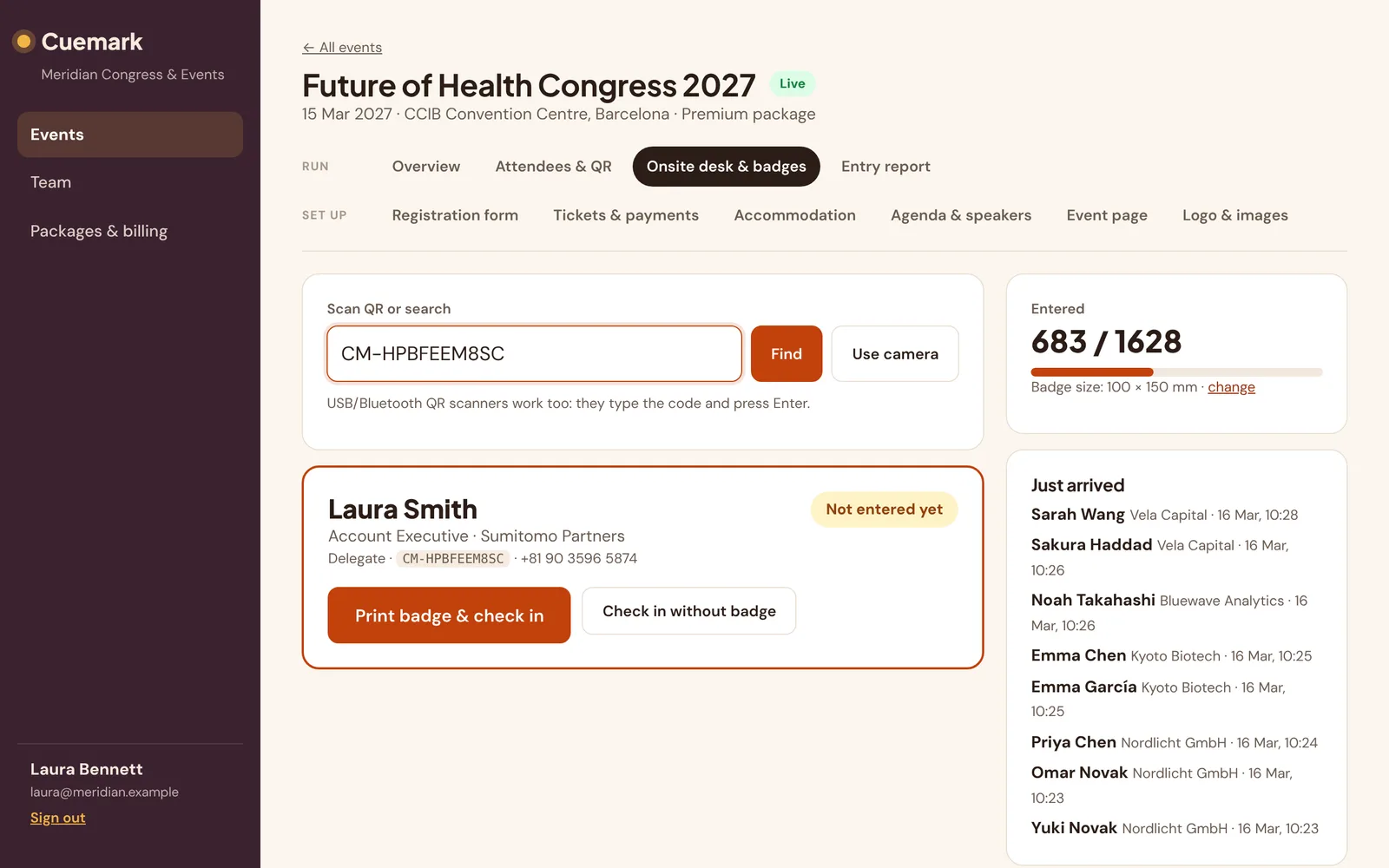
From registration to printed badge
Design the badge
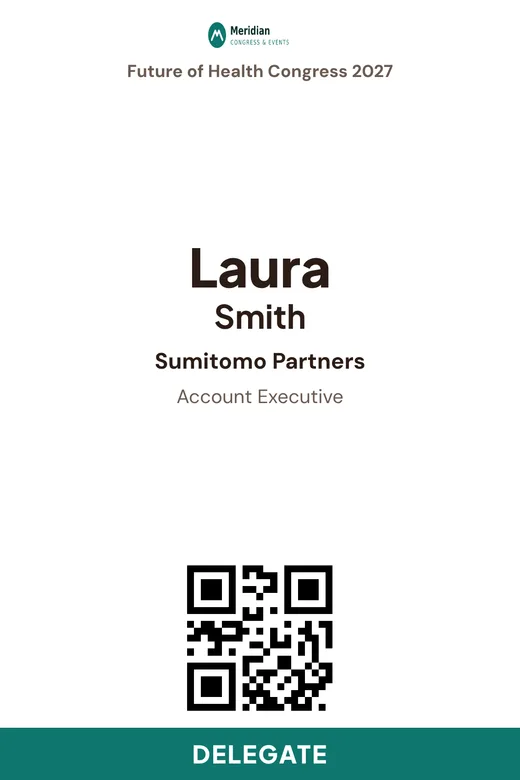
Set the badge size in millimetres, choose what appears — name, company, job title, category band, logo and QR code — and preview it.
Scan or search
At the desk, scan the attendee’s QR ticket or search by name, company or code. At a kiosk, the guest scans it themselves.
Print and check in
One click prints the badge and marks the guest as entered. Reprints are counted, so you always know how many badges went out.
Badges your guests will actually wear
Any printer, any size
Print to any printer your browser can reach. Common sizes: 90×120 mm lanyard badges, 86×54 mm cards and 100×150 mm label rolls.
Category colour bands
Speakers, delegates, press, staff — each category gets its own band so security and hosts can tell at a glance.
Your logo and a QR code
Brand every badge with your event logo. The QR code on the badge works at door scanners later in the day.
Always up to date
Name changes and company corrections made in the panel appear on the next print. No reprinting the whole batch.
Print count and audit
See how many times each badge was printed and from which station, so lost-badge reprints stay under control.
Staff see only what they need
Desk staff see name, company, category and status — not emails, phone numbers or private answers.
Frequently asked questions
Which badge printers work with Cuemark?
Any printer your browser can print to, including office laser printers, card printers and label printers. You set the badge size in millimetres.
Do we need to pre-print badges?
No. Badges print on demand when each attendee checks in, so last-minute registrations and corrections are included automatically.
Can attendees print their own badge?
Yes. Open a self check-in kiosk link next to a printer and guests print their own badge by scanning their QR ticket or typing their email.
Can we reprint a lost badge?
Yes. Staff can reprint from the desk; every print is counted against the attendee so you can see reprints in the reports.
More Cuemark features
Run your next event with Cuemark.
Your first event is free for up to 25 attendees — no card needed. Prefer a walkthrough? Book a demo on our home page.
Start free — first event on us